The Dog House Game Mechanics on bolago
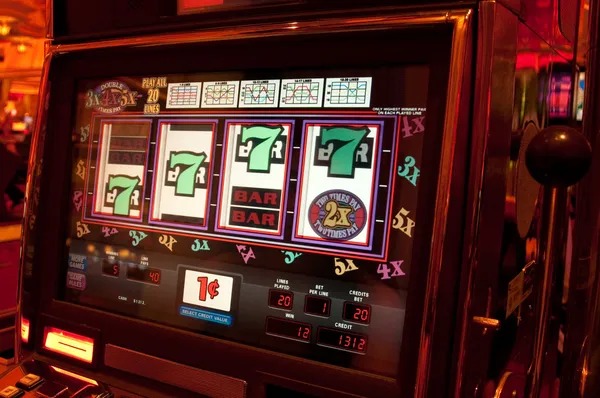
The Dog House on bolago is a five-reel slot with animated dog symbols, scatter triggers, and a free-spin feature. You start by choosing your stake—select any amount from your bolago balance, then tap Spin. The reels animate for three to four seconds, then lock in place with a result. If your spin lands matching symbols, bolago calculates the payout instantly based on the paytable and credits your balance in real time.
The game includes a multiplier mechanic: certain dog symbols act as wilds and expand across reels, boosting your win. Land three or more scatter symbols and you unlock free spins—typically ten to twenty spins at no cost, with all wins during free spins multiplied. The Dog House on bolago keeps these features simple so they work smoothly even on slower mobile networks or older Android phones common across Jakarta, Surabaya, Bandung, and Medan.
Installing bolago and Accessing The Dog House
To play The Dog House on bolago, first create an account. Visit our register page, enter your email and a strong password, and verify your email address. On Android, download the bolago APK from our app section—the installer is around 45 MB and installs in seconds. On iOS, open bolago in Safari, then tap "Add to Home Screen" to create a bookmark that acts like an app.
Once installed, tap the bolago icon to launch. You are prompted to log in with your email and password. Our system uses encryption, so your login session is secure even on public Wi-Fi. After you log in, your session persists for up to 24 hours—you do not need to re-enter your password every time you open The Dog House.
To reach The Dog House, tap the "Games" or "Slots" menu, then scroll to The Dog House and select it. The game loads in full-screen within two to three seconds on a standard connection. If your connection drops mid-spin, bolago saves your game state; when you reconnect, the last spin completes and settles normally.
Deposits and Withdrawals for The Dog House Winnings
Before you spin The Dog House, fund your bolago account. Tap the Deposit section and select your payment method: DANA, e-wallet, mobile banking, local payment, online payment, or e-wallet all settle in seconds. You can also use bank transfers from mobile banking, local payment, online payment, or e-wallet—those typically clear within one to two business hours. Enter your deposit amount, follow the payment gateway, and the funds appear in your bolago balance immediately.
After you win on The Dog House and want to cash out, tap Withdraw. Choose your payment method from the ones you have linked to your account—if you deposited via mobile banking, you can withdraw to local payment; if you used online payment, request a transfer to e-wallet. Enter the withdrawal amount and submit. Your request enters a queue for our KYC verification team.

Account Verification and Withdrawal Windows
bolago requires Know Your Customer (KYC) verification before withdrawals process. During your first account setup, you provide your full legal name, national ID number, and phone number. For your first withdrawal, our KYC team asks for supporting documents: a photo of your ID card and a recent selfie holding your ID. You upload these through the Account Settings section on bolago.
Once you submit documents, our verification team reviews them within two to four hours during business hours. If approved, your withdrawal transfers to your chosen payment method. If we need clarification—for example, your ID photo is blurry—we send a note in the app and ask you to re-upload. The entire window from submission to approval typically spans two to four hours on weekdays, longer on weekends or holidays like Idul Fitri or Idul Adha.
We do not proceed with withdrawals if KYC verification fails. This step protects your account against unauthorized access and ensures that only you can move money out. If you have questions about what documents we need, contact our support team via the in-app chat and they respond within one business hour.
- KYC approval time
- Typically 2–4 hours during business hours. Weekend approvals may take longer.
- Withdrawal fee
- bolago does not charge withdrawal fees. Your payment provider (bank or e-wallet) may deduct a standard processing charge.
- Minimum withdrawal
- We set a minimum withdrawal amount per method to cover processing costs; check your account settings for your chosen method's minimum.
The Dog House Mobile Experience on bolago
The Dog House on bolago optimizes for portrait mode on phones—the reels fill your screen vertically, and spin controls sit at the bottom within thumb reach. The balance display anchors at the top so you always see how much you have before and after each spin. No landscape mode is required; portrait works smoothly on screens from 4.5 inches (older models) to 6.5 inches (modern phones).
If you switch between bolago on your phone and bolago on desktop, your account syncs automatically. Win fifty units on The Dog House via your phone in Medan, then open bolago on your laptop in Jakarta, and your balance reflects that win instantly. No separate logins, no manual sync.
Common Issues and Account Recovery
If you forget your bolago password, tap "Forgot password?" on the login screen. We send a reset link to your registered email. Click it, set a new password, and log back in. The entire process takes a few minutes and requires no customer support contact.
If The Dog House crashes mid-spin, close the app and reopen it. bolago automatically restores your session state from our servers—the last spin settles and your balance updates as if the app never closed. If you lose internet mid-spin, the spin completes and settles based on the last confirmed action; you will not lose your stake.
If you do not receive a withdrawal confirmation within four hours, check your email for a KYC request (we may need additional documents). If you see no notification, contact our support team via the in-app chat. They can check your withdrawal status and explain any delays.
-
1
Create bolago accountStep 1
Register with email and password, verify your email address
-
2
Install bolago appStep 2
Download APK on Android or bookmark on iOS
-
3
Deposit fundsStep 3
Use mobile banking, local payment, online payment, e-wallet, mobile banking, or bank transfer
-
4
Launch The Dog HouseStep 4
Tap Games, find The Dog House, and start spinning
-
5
Withdraw winningsStep 5
Complete KYC, request withdrawal, funds arrive within 2–4 hours